Best Controller for Linux Gaming on PC and Steam Deck
The best controllers for Linux gaming in 2026, with kernel drivers, gyro support, wireless options and Steam udev fixes for each pick.
Published . Updated . 8 min read.
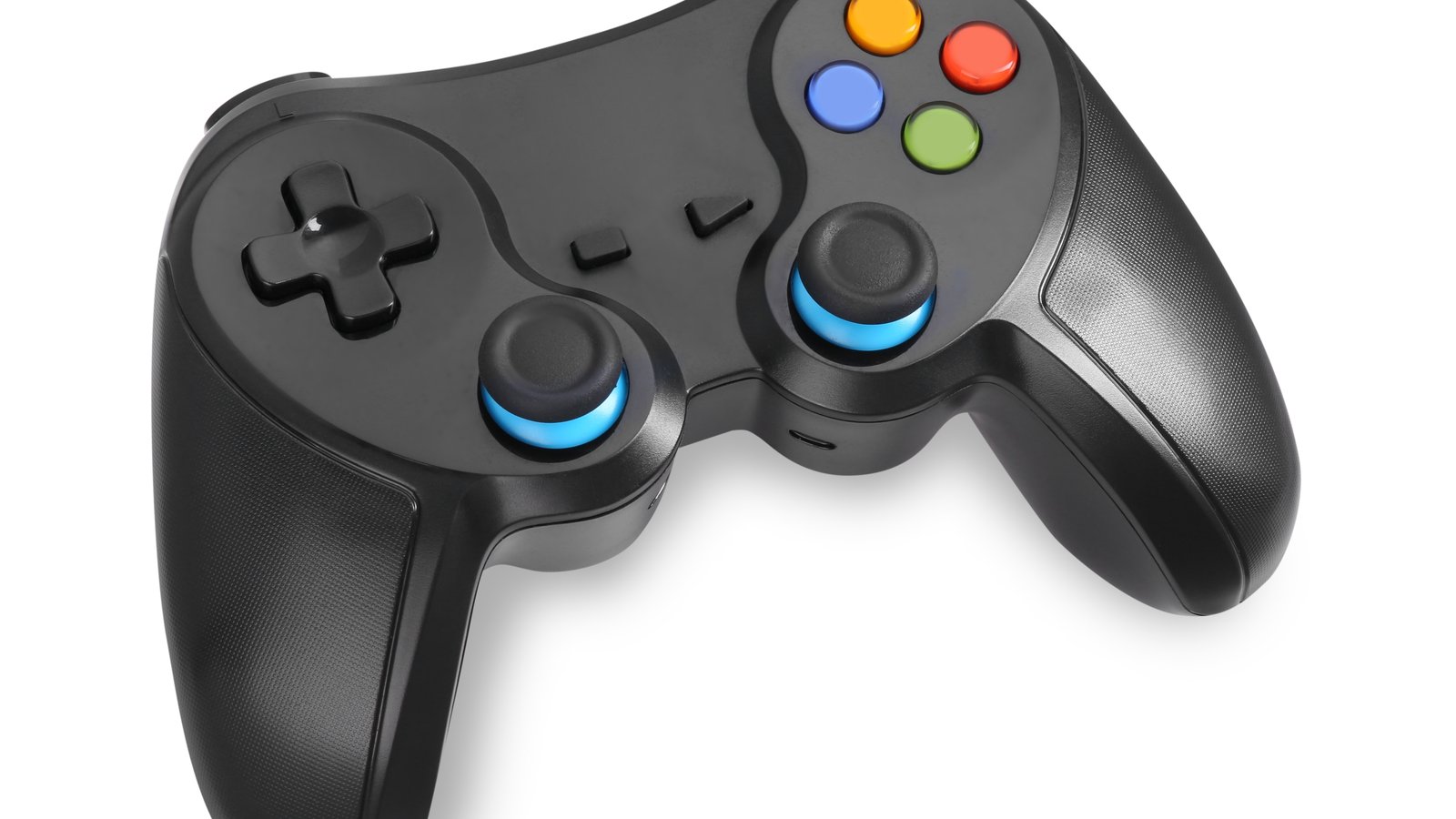
The best controller for Linux gaming for most people is the 8BitDo Ultimate 2 Wireless. Its 2.4G dongle is recognised by the in-kernel xpad driver, while Steam can access its back buttons and gyro (ComputingForGeeks). If gyro and a touchpad are your priorities, go for the Sony DualSense. For the standard layout that games expect, the Xbox Wireless Controller is the safer choice.
- Best overall: 8BitDo Ultimate 2 Wireless (dongle, paddles, gyro in Steam)
- Best for gyro: Sony DualSense (touchpad and motion over Bluetooth)
- Most compatible layout: Xbox Wireless Controller (in-kernel drivers)
- Best budget: 8BitDo Ultimate 2C Wireless (Hall sticks, 2.4G)
We may earn a commission if you buy through links on this page. It never changes our verdicts. How we review.
Check price on Amazon Check price on Amazon Check price on AmazonLinux support at a glance
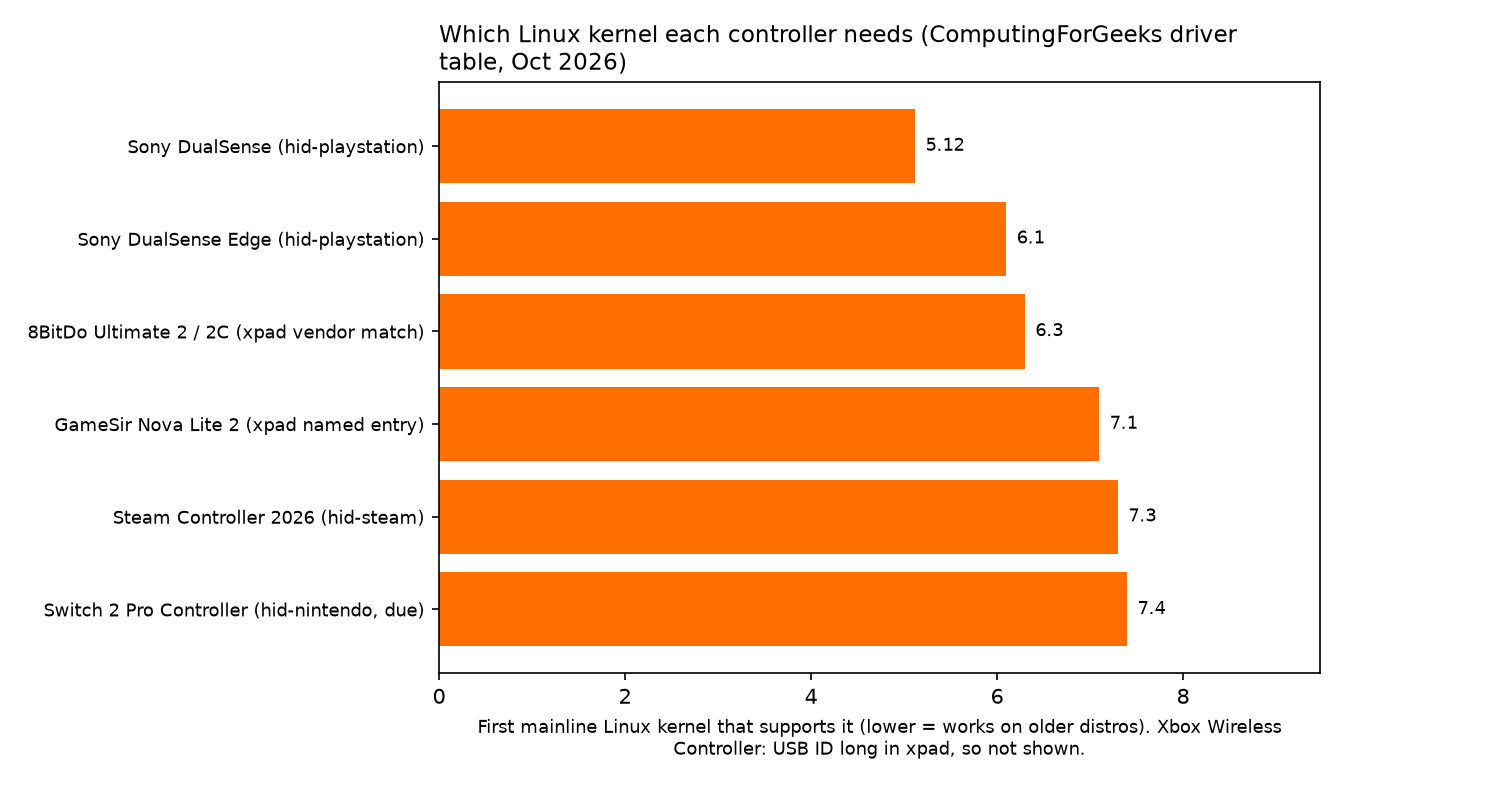
Controller support on Linux comes down to two things, as ComputingForGeeks explains. First, a kernel driver must recognise the controller's USB or Bluetooth ID. Then Steam needs the right udev rule to access features such as gyro, touchpads and back buttons.
The driver and kernel information in this table comes from ComputingForGeeks.
| Controller | Linux driver | Kernel | Wireless on Linux | Gyro on Linux | Extra buttons in Steam | Ubuntu 26.04 note | Verdict |
|---|---|---|---|---|---|---|---|
| 8BitDo Ultimate 2 Wireless | xpad | any from 6.3 (vendor match) | 2.4G dongle | Via Steam, 2.4G mode only | Yes, needs newer Steam rules on Ubuntu | Update Steam udev rules | Best overall |
| Sony DualSense | hid-playstation | 5.12+ | Bluetooth | Yes | Touchpad, yes | Works with stock rules | Best for gyro |
| Xbox Wireless Controller | xpad / hid-microsoft / xone | long supported | Bluetooth or Xbox adapter (xone DKMS) | No | Standard layout | Works | Most compatible layout |
| 8BitDo Ultimate 2C Wireless | xpad | any from 6.3 | 2.4G dongle | No | L4/R4 | Update Steam udev rules | Best budget |
| GameSir Nova Lite 2 | xpad | vendor match; named in 7.1 | 2.4G | not stated | Two back buttons | Works via vendor match | Budget alternative |
| Sony DualSense Edge | hid-playstation | 6.1+ | Bluetooth | Yes | Needs hidraw rule | Rule missing on Ubuntu | Premium pick |
| Steam Controller (2026) | hid-steam | 7.3+ (Steam works earlier) | Puck, Bluetooth | Yes (IMU, in Steam) | Yes in Steam | Steam rules cover Valve devices | Buy from Valve |
| Switch 2 Pro Controller | hid-nintendo | due in 7.4, USB only | No | not yet | Not yet | No rule | Wait |
8BitDo Ultimate 2 Wireless: best overall
Driver: xpad. According to ComputingForGeeks, xpad has recognised 8BitDo's vendor ID since kernel 6.3. The Ultimate 2 was added by name in 6.15, with that support also backported to the 6.6 and 6.12 LTS kernels.
Connection: 2.4G dongle or USB. Bluetooth is listed for Android and Apple devices only.
The Ultimate 2 packs TMR sticks, Hall effect triggers, L4/R4 buttons, two rear paddles and 1000 Hz polling.
Gyro is fussier: it works only over 2.4G, and Steam must have raw HID access. Ubuntu 26.04's Steam rules don't list any 8BitDo controllers, so newer rules are needed (ComputingForGeeks). Profiles are edited through 8BitDo Ultimate Software.
Who it's for: players who want paddles, gyro and a straightforward dongle connection.
Who it isn't for: anyone who needs Bluetooth on Linux.
Check price on AmazonSony DualSense: best for gyro
Driver: hid-playstation, included in the kernel since 5.12 (ComputingForGeeks).
Connection: USB and Bluetooth.
The kernel handles its touchpad, motion sensors, lightbar and rumble. Adaptive triggers are the exception: those come from Steam or the game, not the kernel. On Ubuntu 26.04 it works with the stock rules.
Who it's for: players who prefer gyro aiming or want a touchpad over Bluetooth.
Who it isn't for: anyone after back buttons. The DualSense Edge is the alternative.
Check price on AmazonXbox Wireless Controller: most compatible layout
Driver: xpad for USB and hid-microsoft for Bluetooth. Using the Xbox Wireless Adapter requires the xone DKMS module (ComputingForGeeks).
Connection: USB or Bluetooth, with the adapter also available after installing xone.
ComputingForGeeks points out that in-kernel drivers survive system updates and Secure Boot. xone sits outside the kernel as a DKMS module, so USB or Bluetooth is less hassle than the adapter. There's no gyro.
Who it's for: players who want a familiar layout without extra configuration.
Who it isn't for: anyone who wants gyro controls.
Check price on Amazon8BitDo Ultimate 2C Wireless: best budget
Driver: xpad. Its vendor ID has been recognised since kernel 6.3, and the controller is listed by name in the 6.12 and 6.6 LTS kernels (ComputingForGeeks).
Connection: 2.4G dongle or USB.
The Ultimate 2C offers Hall effect sticks and triggers, 1000 Hz polling and a 480 mAh battery rated for roughly 19 hours over 2.4G.
You get L4/R4 buttons, but no rear paddles or gyro. GamingPCGuru includes it among two low-cost wireless controllers worth considering. As with the Ultimate 2, Ubuntu users need updated Steam udev rules.
Who it's for: budget-conscious players who want Hall sticks and a dongle.
Who it isn't for: players who need gyro.
Check price on AmazonGameSir Nova Lite 2: budget alternative
Driver: xpad, using the GameSir vendor match. The controller was added by the name "Nova 2 Lite" in kernel 7.1 (ComputingForGeeks).
Connection: 2.4G, wired or Bluetooth. ComputingForGeeks identifies 2.4G as its wireless connection on Linux.
The Nova Lite 2 has Hall effect sticks and triggers, 1000 Hz polling and two back buttons, according to its listing.
GamingPCGuru names it the best low-cost Hall effect controller. It's available from GameSir Direct UK.
Who it's for: budget buyers who want back buttons.
Who it isn't for: anyone relying on confirmed Linux gyro support, which isn't stated.
Check price on AmazonSony DualSense Edge: premium pick
Driver: hid-playstation, supported since kernel 6.1 (ComputingForGeeks).
Connection: USB or Bluetooth.
The Edge adds back buttons and on-pad profiles. The catch: Ubuntu 26.04's steam-devices package lacks the hidraw rule it needs, though Fedora and Valve's own .deb include it. Profile editing needs the PlayStation Accessories app, which runs on Windows.
Who it's for: DualSense players who want back buttons and are comfortable fixing a udev rule.
Who it isn't for: anyone who needs to edit profiles without Windows.
Check price on AmazonSteam Controller (2026): buy from Valve
Driver: hid-steam. Support for its device IDs arrived in kernel 7.3 (ComputingForGeeks).
Connection: Puck receiver, USB or Bluetooth.
The new Steam Controller also works through Steam on older kernels. That's because steam-devices already grants raw access to all Valve devices with the vendor ID 28de.
Valve launched the controller on 4 May 2026. GamingOnLinux's early impressions describe its TMR sticks, two 34.5mm trackpads and Puck receiver. Its IMU provides gyro controls through Steam.
Buy it directly from Valve on the Steam store, and avoid confusing it with listings for the original 2015 Steam Controller.
Who it's for: Steam players who want trackpads and gyro.
Who it isn't for: people who mainly play games outside Steam.
Switch 2 Pro Controller: wait
Driver: hid-nintendo. Support was committed on 16 October 2026 and is expected in kernel 7.4, initially for USB only (ComputingForGeeks).
PC support is unofficial, there's no Steam udev rule yet and gyro isn't supported. Wait for now.
Bluetooth or dongle?
It depends on the pad.
- 8BitDo pads: stick with the 2.4G dongle. The Ultimate 2 lists Bluetooth only for Android and Apple devices, and its gyro works exclusively in 2.4G mode (ComputingForGeeks).
- DualSense and DualSense Edge: Bluetooth works with the hid-playstation driver.
- Xbox: Bluetooth runs through the in-kernel hid-microsoft driver. The Xbox Wireless Adapter requires xone DKMS.
- Steam Controller: connect with the Puck receiver or Bluetooth.
Fixing "Steam does not see my controller"
A controller can work on the Linux desktop but still have missing features in Steam. If gyro, touchpad input or back buttons aren't available, a missing udev rule is usually the reason (ComputingForGeeks).
The Arch Wiki Gamepad page explains the steam-devices package, how to write udev rules and how to inspect device IDs using udevadm.
# Install Steam's udev rules (Debian/Ubuntu package name)
sudo apt install steam-devices

# Check which device the pad shows up as
udevadm info --attribute-walk --name=/dev/hidraw0

# Reload rules, then replug the controller
sudo udevadm control --reload-rules && sudo udevadm trigger
Ubuntu 26.04's stock rules don't cover the DualSense Edge, any 8BitDo controller or the Switch 2 Pro. For the DualSense Edge, Valve's .deb contains the missing rule.
FAQ
Do Xbox controllers work on Linux?
Yes. The xpad driver handles USB connections, while hid-microsoft handles Bluetooth. The Xbox Wireless Adapter requires xone DKMS (ComputingForGeeks).
Does the PS5 DualSense work on Linux, including gyro and touchpad?
Yes. The hid-playstation driver has supported the DualSense since kernel 5.12, including its touchpad and motion sensors. Adaptive triggers depend on Steam or the game rather than the kernel.
Do 8BitDo controllers work on Linux?
Yes. The xpad driver has recognised 8BitDo's vendor ID since kernel 6.3. On Ubuntu 26.04, newer Steam udev rules are needed for back buttons and gyro.
Bluetooth or dongle: which is better on Linux?
For 8BitDo controllers, choose the dongle. Bluetooth is a good option for the DualSense and Xbox Wireless Controller.
Why is Steam not detecting my controller on Linux?
A missing udev rule is the usual cause. Install steam-devices or updated rules, then inspect the controller with udevadm (Arch Wiki).
Which kernel do I need for the new Steam Controller?
Its hid-steam device IDs were added in kernel 7.3. Steam can still access the controller on earlier kernels through steam-devices (ComputingForGeeks).
Our pick
The 8BitDo Ultimate 2 Wireless is the best choice for most Linux gamers. If gyro is the priority, choose the DualSense. If you just want a familiar controller without the fuss, go for the Xbox Wireless Controller.
Check price on AmazonMore hardware lives in our gear guides, and there's plenty to play in our open-source games section. See how we review for how picks are made.