Best GPU for Linux Gaming: AMD, Nvidia and Intel Arc Compared
The best GPU for Linux gaming in 2026: AMD RX 9070 XT, Nvidia RTX 50 and Intel Arc compared, with driver notes and cited Linux vs Windows FPS.
Published . Updated . 8 min read.
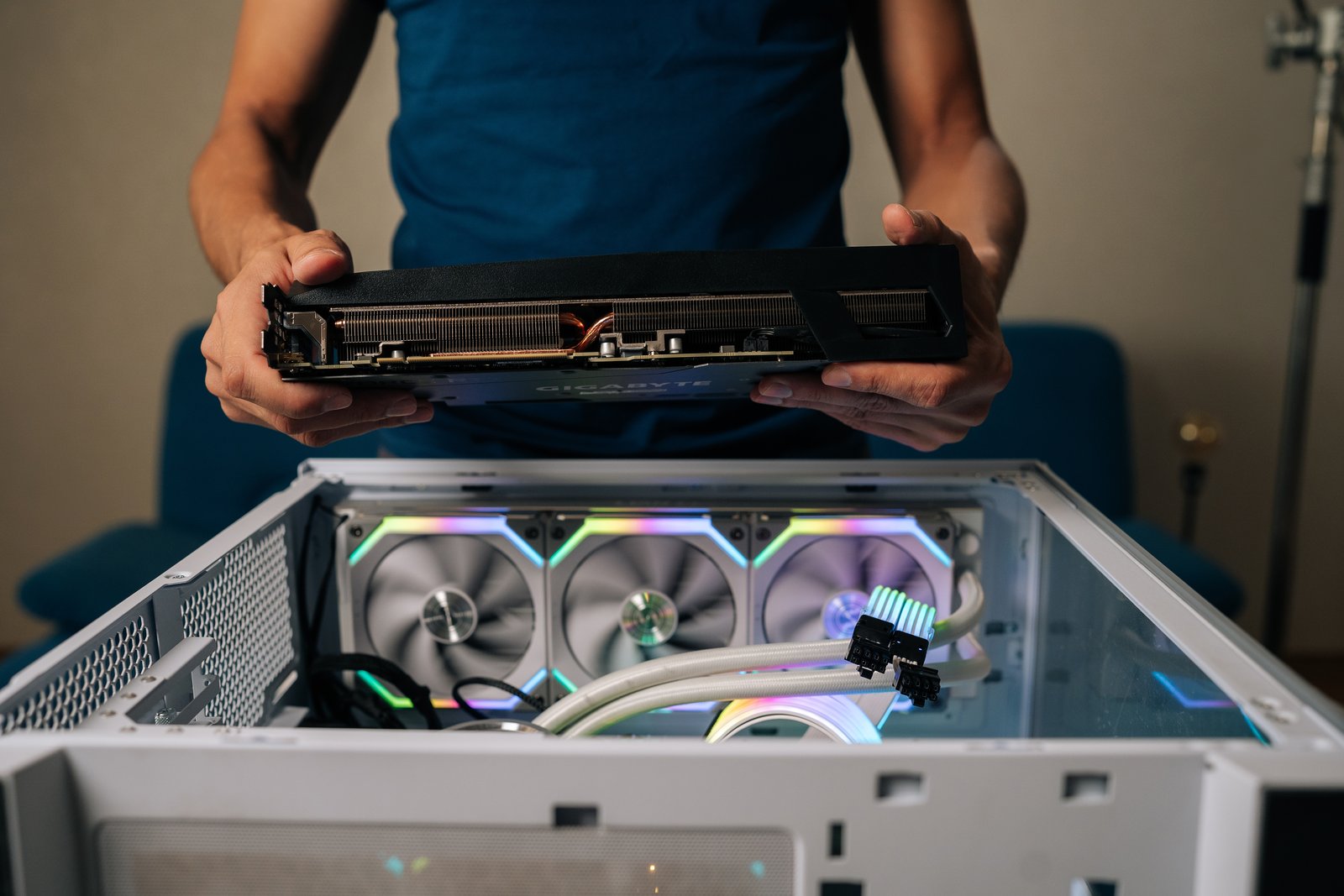
If you want the best GPU for Linux gaming in 2026, a Radeon RX 9070 XT partner board is the clear choice. Its amdgpu kernel driver and Mesa's RADV Vulkan driver come with your distro. There is nothing extra to install, which means fewer things to go wrong.
Nvidia makes more sense if you need DLSS, stronger ray tracing or CUDA. However, RTX 50 series cards require Nvidia's open kernel modules, and you can expect a larger performance drop under Proton than with AMD, according to GameGPU's Windows vs Linux comparison.
We may earn a commission if you buy through links on this page. It never changes our verdicts. How we review.
Quick picks
Best overall: ASUS PRIME RX 9070 XT
Check price on AmazonAlternative RX 9070 XT boards: ASUS TUF and Sapphire Nitro+
Check price on Amazon Check price on AmazonBest lower power 9070: ASRock RX 9070 Challenger
Check price on AmazonBest mid-range AMD 16GB: XFX Swift RX 9060 XT
Check price on AmazonBest Nvidia value for RT and DLSS: MSI RTX 5070 Ti Ventus 3X (check the seller before buying)
Check price on AmazonHigh-end Nvidia: Gigabyte RTX 5080 Gaming
Check price on AmazonEntry Nvidia 16GB: ASUS Dual RTX 5060 Ti
Check price on AmazonBudget Intel Arc: ASRock Arc B570 Challenger
Check price on AmazonLinux driver reality
| Card family (UK partner example) | Driver stack | Works on fresh distro | Upscaling / RT under Proton | Cited Linux vs Windows note | Who it is for |
|---|---|---|---|---|---|
| RX 9070 XT (ASUS Prime / TUF / Sapphire Nitro+) | amdgpu + Mesa RADV | Yes (Mesa 25+ / kernel 6.12+ per computingforgeeks) | FSR; RT weaker than Nvidia (Phoronix / computingforgeeks) | GameGPU: about 94% of Windows FPS on CachyOS (130.3 vs 138.6) | Best overall Linux gaming ease |
| RX 9070 non-XT (ASRock Challenger) | amdgpu + RADV | Yes | FSR | Not separately measured in the cited GameGPU set; lower-power 9070 class | Smaller PSU / cooler build |
| RX 9060 XT 16GB (XFX Swift) | amdgpu + RADV | Yes | FSR | n/a; mid-range 16GB AMD | Budget 1080p/1440p AMD |
| RTX 5070 Ti (MSI Ventus 3X) | Nvidia open kernel modules | Needs open modules (Blackwell) | DLSS + stronger RT | computingforgeeks: expect Proton DX12 tax like other 50-series | DLSS / RT / CUDA on one box |
| RTX 5080 (Gigabyte Gaming) | Nvidia open kernel modules | Needs open modules | DLSS + RT | GameGPU: about 81% to 84% of Windows FPS on Linux distros tested | High-end RT/DLSS when budget allows |
| RTX 5060 Ti 16GB (ASUS Dual) | Nvidia open kernel modules | Needs open modules | DLSS | Not measured in the cited GameGPU set; entry Blackwell | Entry Nvidia 16GB |
| Arc B570 10GB (ASRock Challenger) | Mesa ANV | Yes (Mesa) | XeSS / limited vs FSR/DLSS depth | Budget 1080p Mesa path (computingforgeeks) | Cheapest open-driver experiment |
AMD vs Nvidia vs Intel on Linux
AMD: the path of least resistance
For most Linux gamers, AMD is the simplest option. That is also the conclusion of Computingforgeeks' Linux GPU guide for late 2026.
The main advantage is driver support. AMD's amdgpu driver is part of the Linux kernel, while RADV is included in Mesa. Install a current distro and the drivers are already there.
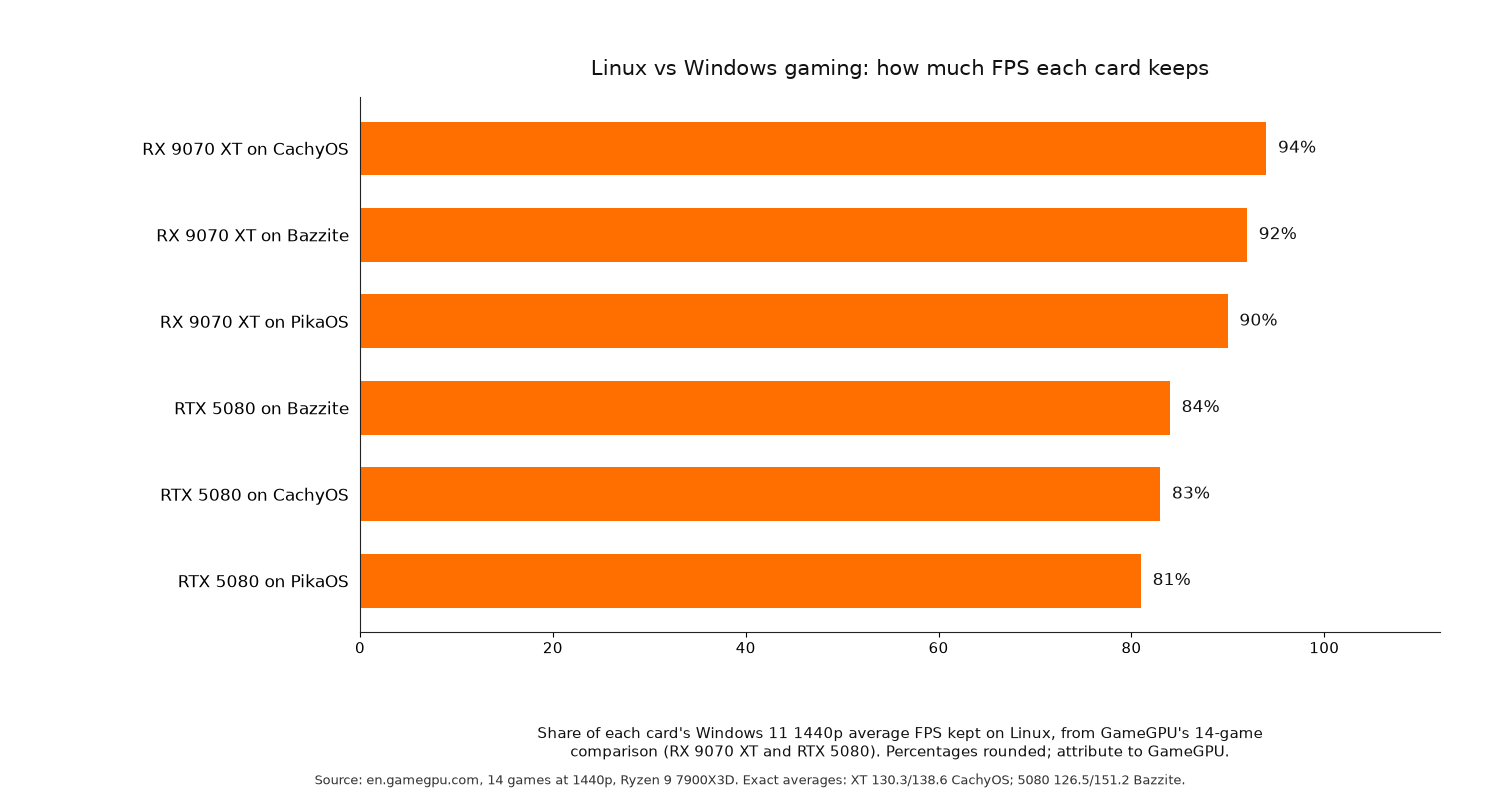
The performance figures are encouraging too. GameGPU compared 14 games at 1440p using a Ryzen 9 7900X3D and DDR5 6000 memory. The RX 9070 XT averaged 138.6 FPS on Windows 11. Its Linux results were:
- 130.3 FPS on CachyOS (94%)
- 127.9 FPS on Bazzite (92.2%)
- 117.1 FPS on PikaOS (89.8%)
The 1% lows were also close. GameGPU recorded 96.6 FPS on Windows and 90.8 FPS on CachyOS, suggesting that performance remained fairly consistent.
Nvidia: faster on Windows, bigger Proton tax
Nvidia's RTX 50 series uses the Blackwell architecture and requires the company's open kernel modules. As Computingforgeeks explains in its summary of Nvidia's documentation, Blackwell and later GPUs are supported through these modules rather than the older proprietary-only route.
The RTX 5080 was faster than the RX 9070 XT on Windows in GameGPU's comparison, averaging 151.2 FPS. But its Linux results fell noticeably further:
- 126.5 FPS on Bazzite (83.6%)
- 125.0 FPS on CachyOS (82.6%)
- 123.2 FPS on PikaOS (81.4%)
The difference was even clearer in the 1% lows. GameGPU measured 99.3 FPS on Windows, compared with roughly 77.5 to 78.7 FPS across the Linux distros.
Computingforgeeks points to greater performance losses in DX12 games running through Proton on Nvidia as a major factor.
The RTX 5080 still managed slightly higher Linux averages than the RX 9070 XT in this comparison. The catch is that much more of its Windows performance was lost in the move to Linux.
Intel Arc: the budget experiment
Intel Arc follows a similar driver approach to AMD. It uses Mesa's ANV Vulkan driver, so it can work straight out of the box without additional driver installation.
Computingforgeeks recommends the Arc B570 as a budget option for 1080p gaming on Linux. XeSS upscaling is available, although support is not as extensive as FSR or DLSS.
The picks
ASUS PRIME RX 9070 XT OC 16GB
Who it is for: gamers who want strong Linux performance without complicated driver setup. It belongs to the same GPU family covered by GameGPU and computingforgeeks, with the RX 9070 XT retaining about 94% of its Windows performance on CachyOS.
Who it is not for: anyone who specifically needs DLSS, CUDA or the strongest ray tracing performance. Both Phoronix and computingforgeeks report weaker RT performance than Nvidia.
VRAM: 16GB.
This ASUS board takes the place of computingforgeeks' PowerColor Reaper recommendation, which was unavailable on Amazon UK at the time of writing.
Check price on AmazonASUS TUF Gaming RX 9070 XT OC and Sapphire Nitro+ RX 9070 XT
Who they are for: buyers considering the ASUS Prime who would prefer another cooler or board design, or need an alternative when Prime stock is limited. Both use the same GPU and RADV driver stack.
Who they are not for: buyers who need Nvidia-exclusive features.
VRAM: 16GB each.
Check price on Amazon Check price on AmazonASRock RX 9070 Challenger 16GB
Who it is for: anyone building a system with a smaller power supply or limited cooling capacity. Computingforgeeks places the non-XT RX 9070 in roughly the 220W class, compared with about 304W for the XT.
Who it is not for: gamers prioritising the highest possible frame rates. The GameGPU benchmark figures apply to the XT model, not this card.
VRAM: 16GB.
Stock note: Amazon UK showed just one remaining at the time of writing.
Check price on AmazonXFX Swift RX 9060 XT OC 16GB
Who it is for: budget-conscious and mid-range AMD buyers playing at 1080p or 1440p. It offers 16GB of VRAM alongside the straightforward RADV driver experience.
Who it is not for: players targeting high refresh rates at 1440p who would benefit from the extra performance headroom of an RX 9070 XT.
VRAM: 16GB.
Check price on AmazonMSI RTX 5070 Ti Ventus 3X OC 16G
Who it is for: gamers who want DLSS, stronger ray tracing and CUDA in a single PC, and are comfortable setting up Nvidia's open kernel modules.
Who it is not for: anyone who prioritises an easy first Linux installation or mainly plays DX12 titles through Proton. Computingforgeeks warns that the same DX12 performance penalty affecting other RTX 50 series cards is likely here.
VRAM: 16GB.
Seller warning: computingforgeeks highlights third-party sellers on some RTX listings. This particular listing also showed just one remaining at the time of writing. Check the seller's rating and confirm stock before ordering.
Check price on AmazonGigabyte RTX 5080 GAMING 16G
Who it is for: gamers with a high-end budget who care about ray tracing and DLSS. The RTX 5080 delivered the highest Linux average frame rates of the two GPUs compared in GameGPU's benchmarks.
Who it is not for: buyers focused on value. Across GameGPU's Linux distros, the RTX 5080 retained about 81% to 84% of its Windows performance. The RX 9070 XT managed roughly 90% to 94%.
VRAM: 16GB.
Stock note: computingforgeeks recommends the MSI Inspire 3X, but a clear Amazon UK listing was unavailable. The Gigabyte board is the stocked UK alternative, with nine units listed at the time of writing.
Check price on AmazonASUS Dual RTX 5060 Ti OC 16GB
Who it is for: entry-level Nvidia buyers who want access to features such as DLSS without giving up 16GB of VRAM.
Who it is not for: anyone expecting a completely straightforward first Linux installation. As a Blackwell GPU, it requires Nvidia's open kernel modules.
VRAM: 16GB.
Stock note: 15 units were listed at the time of writing.
Check price on AmazonASRock Arc B570 Challenger OC 10GB
Who it is for: buyers looking for the cheapest route into open-driver Linux gaming. Computingforgeeks identifies the Arc B570 as a budget choice for 1080p.
Who it is not for: gamers who need mature upscaling support or strong ray tracing performance.
VRAM: 10GB.
Check price on AmazonAnti-cheat caveat
A different graphics card will not solve anti-cheat compatibility problems.
Notebookcheck's Bazzite benchmark coverage explains that some games using kernel-level anti-cheat can still refuse to run on Linux. Battlefield 6 and Black Ops 7 are among the examples cited. The same coverage also found inconsistent Nvidia performance on Bazzite.
Before switching to Linux, check that the games you play most will run. That matters regardless of which GPU you choose.
FAQ
Is AMD or Nvidia better for Linux gaming?
AMD is the better fit for most people. Computingforgeeks recommends Radeon for its straightforward driver support, with amdgpu included in the kernel and RADV in Mesa. Nvidia is worth considering if DLSS, stronger ray tracing or CUDA are important to you.
Do Nvidia cards need the open kernel modules now?
Yes, for the RTX 50 series. According to Computingforgeeks' summary of Nvidia's documentation, Blackwell and later GPUs are supported by Nvidia's open kernel modules rather than the older proprietary-only approach.
How much performance do you lose on Linux vs Windows?
The loss varies by GPU. GameGPU's 14-game benchmark at 1440p found that the RX 9070 XT retained about 90% to 94% of its Windows average frame rate on Linux. The RTX 5080 retained around 81% to 84%.
Does Intel Arc work on Linux?
Yes. Intel Arc uses Mesa's ANV driver, allowing it to run on Linux. Computingforgeeks also lists the Arc B570 as a budget-friendly option for 1080p gaming.
Which GPU is best for Bazzite or CachyOS?
The RX 9070 XT had the strongest performance relative to Windows in GameGPU's comparison. It retained about 94% of its Windows average on CachyOS and 92.2% on Bazzite.
Do I need to install drivers for AMD on Linux?
Usually not. The amdgpu driver comes with the Linux kernel, while RADV is included in Mesa. For the RX 9070 XT, Computingforgeeks specifies Mesa 25 or newer and Linux kernel 6.12 or newer.
Does ray tracing work under Proton?
Yes, although performance varies. Nvidia offers stronger ray tracing and DLSS, while AMD's RT performance is weaker according to Phoronix and computingforgeeks. Computingforgeeks also reports larger Nvidia performance losses in DX12 games running through Proton.
Finish your Linux gaming setup
Browse all our hardware guides in Gear, or pick up the rest of your setup:
- Best gaming mouse for Linux
- Best gaming headset for Linux
- Best controller for Linux gaming
- Best mechanical keyboard for FPS gaming
- Open source games worth playing
More from OpenFrag: Gear · How we review